Siri AI: Everything Apple Announced at WWDC 2026 — Features, Release, Devices & What Changed
What is Siri AI? A complete guide to Apple's revamped assistant announced at WWDC 2026 — conversational experience, personal context, onscreen awareness, App Intents, release timeline, compatible devices, language support, privacy, and how it compares to ChatGPT and Gemini.
You pull up your email, copy a tracking number, open Safari, paste it into a search bar, and tap through three screens to check where your package is. Then you switch back to Messages, find the restaurant address a friend sent, open Maps, and pin it for later. None of these steps is hard on its own. But together they take five separate commands across three apps — exactly the kind of busywork a smart assistant should eliminate.
For years, that gap — between what an intelligent assistant should handle and what Siri actually handled — frustrated millions of Apple users. At WWDC 2026, Apple finally closed it.
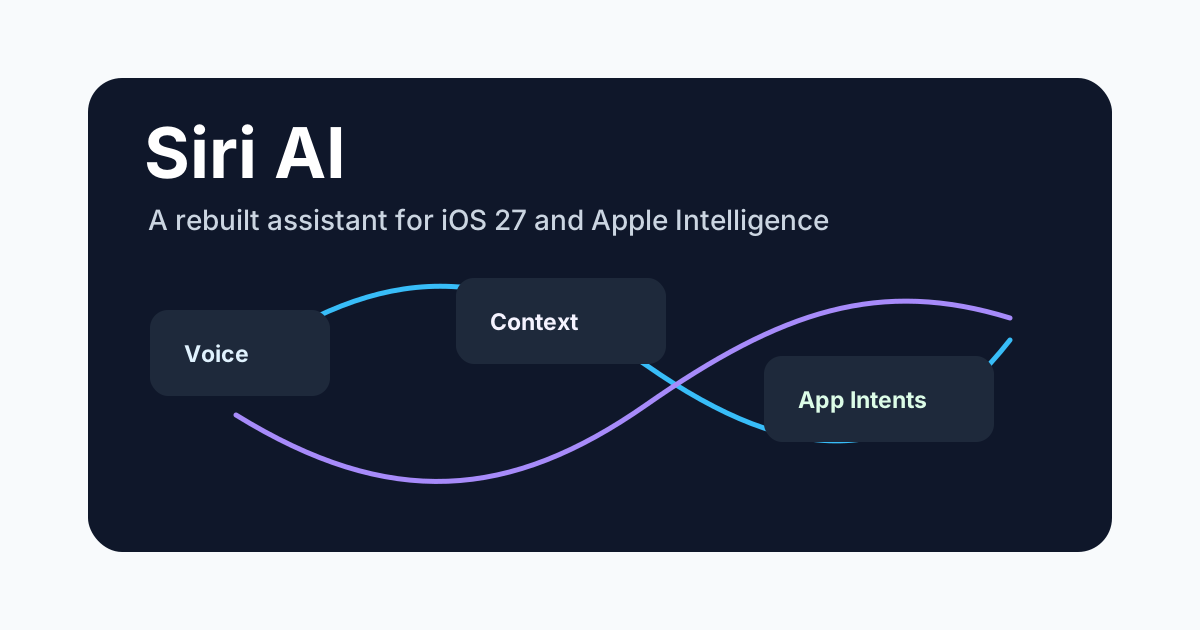
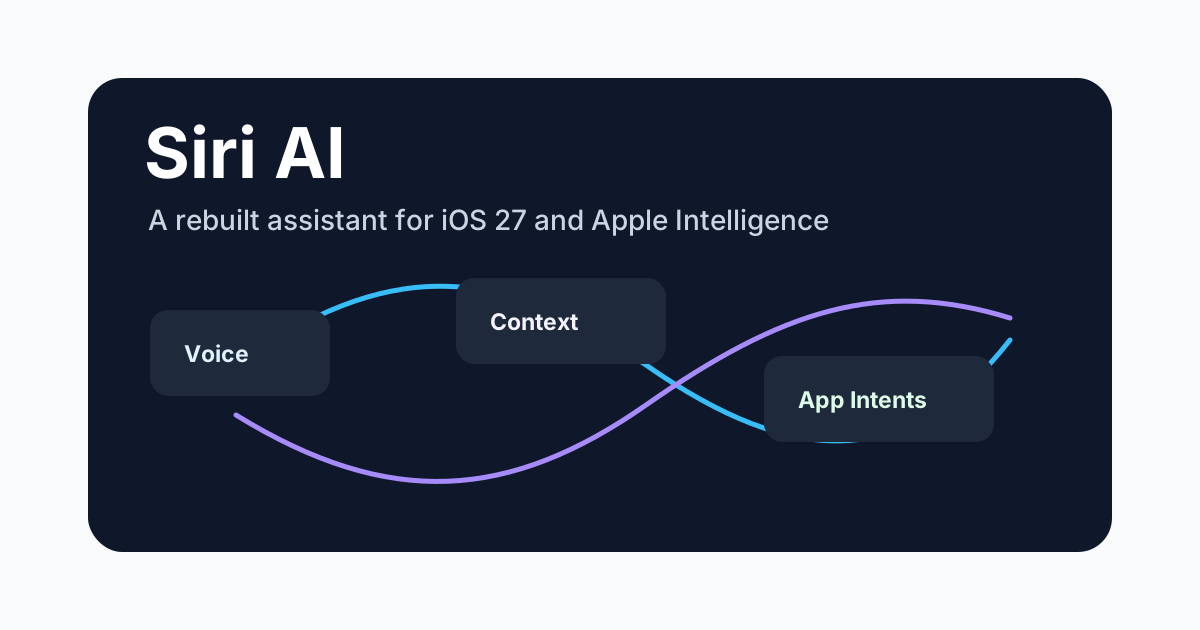
The company stood on stage and announced Siri AI: a full architectural rebuild, not a feature update. The rebrand itself signals what changed. This is not the same Siri that launched alongside the iPhone 4S in 2011, nor the Siri that gained Apple Intelligence features in 2024. Siri AI is conversational, context-aware, capable of seeing your screen, and able to take actions across apps through the App Intents framework.
This guide is based on the WWDC 2026 keynote, Apple's developer documentation, and the beta release materials published on June 8. It covers what Siri AI is, when it ships, which devices support it, how developers can prepare, and how it compares to ChatGPT and Gemini — so by the end you know exactly what to expect and what action to take next.
What Is Siri AI?
Siri AI is Apple's rebuilt intelligent assistant, announced at WWDC 2026 on June 8. It replaces the "Siri" branding that had been in place since 2011 and represents the first major architectural overhaul of Apple's voice assistant since its inception.
The core change is a shift from a command-based assistant ("set a timer for 10 minutes") to a conversational AI that understands context, reads your screen, and executes multi-step actions across apps — all without memorizing pre-programmed phrases.
Key architectural differences from the original Siri:
| Aspect | Original Siri (2011–2024) | Siri AI (WWDC 2026) |
|---|---|---|
| Interaction model | Command-response | Conversational, multi-turn |
| Context awareness | None per session | Personal context + onscreen awareness |
| App actions | Limited built-in apps | Any app via App Intents framework |
| Language model | Rule-based + narrow NLP | Large language model (Apple Foundation Model) |
| Third-party model integration | None | Supports multiple model backends |
| Developer integration | SiriKit (limited) | App Intents (full app action exposure) |
What this means in practice. Think of the original Siri as a fast-food menu — you can only order what is listed, and anything slightly different gets a "I don't understand" response. Siri AI is a personal chef who already knows your dietary preferences, can read the cookbook open on your counter (your screen), and adjusts instructions on the fly. The menu is gone; understanding is the interface.
Rule of thumb: If you had to rephrase your request to match what Siri expects, that task belongs to the old world. With Siri AI, you describe what you want and the assistant figures out the rest.
Siri AI is part of Apple Intelligence — Apple's broader AI platform — but it is the most visible and user-facing component of that platform. If Apple Intelligence is the engine, Siri AI is the interface.
Why the Rebrand?
Apple had called its assistant "Siri" for 15 years. The rebrand to "Siri AI" serves two purposes:
- Signal a step change. The assistant behaves fundamentally differently now. Using the same name would undersell the update.
- Align with Apple Intelligence branding. Every AI-facing feature in Apple's ecosystem now carries the "AI" suffix, making the product family coherent.
This is not a cosmetic change. The underlying architecture, the SDK, the interaction patterns — all have been rebuilt.
Siri AI Features: What It Can Actually Do
Apple demonstrated several concrete capabilities during WWDC 2026. The following table shows what works at launch and what is still flagged as coming in a future update.
Conversational Experience
Siri AI supports natural, multi-turn conversations. You do not need to repeat context or rephrase questions into rigid command structures.
Example interaction:
User: "What restaurants near me have outdoor seating?"
Siri AI: "I found four restaurants within 1 mile with outdoor seating. The top-rated one is The Pines on 3rd Street."
User: "Book it for Friday at 7pm for two people."
Siri AI: "Booking at The Pines, Friday at 7pm, two guests. They have your contact information on file. Shall I confirm?"
The assistant tracks the conversational thread — "it" refers to "The Pines," "book" triggers the restaurant's booking App Intent, and "for two people" is parsed as a guest count parameter.
This is a significant departure from the previous Siri, where each command had to be self-contained and context was reset after every interaction.
Rule of thumb: If a request requires more than one sentence to describe, it likely requires multi-turn conversation — exactly where Siri AI outperforms the original Siri and most competing assistants on device.
Personal Context Understanding
Siri AI can access and reason over your personal data across Apple's ecosystem — messages, emails, calendar, photos, contacts, and documents — with your permission.
| Data source | What Siri AI can do |
|---|---|
| Messages | Find specific information from past conversations ("What was the address Sarah sent me last week?") |
| Calendar | Cross-reference events with other data ("Is my dentist appointment on the same day as the team offsite?") |
| Photos | Search by people, location, objects, and text in images ("Show me photos from my trip to Kyoto last spring") |
| Summarize threads, find attachments, extract details ("What's the flight number from the JetBlue confirmation?") | |
| Files | Search document contents across iCloud Drive ("Find the spreadsheet where I tracked Q1 expenses") |
Apple emphasized that all personal context processing happens on-device where possible. Requests that require server-side processing are handled through Private Cloud Compute — Apple's dedicated AI infrastructure that does not log or store personal data.
Onscreen Awareness
Siri AI can see and understand what is currently displayed on your screen. This enables a new class of interactions where the assistant acts on visible content without you needing to describe it.
What onscreen awareness enables:
- "Add this address to my contacts" — Siri AI reads the address visible on the current screen
- "Translate this paragraph" — in-place translation of selected onscreen text
- "What's the phone number on this page?" — extracts and offers to call
- "Remind me about this tomorrow" — creates a reminder from visible content
This works across Safari, Mail, Messages, Notes, and any app that adopts the relevant Apple Intelligence APIs.
System-Wide and App Actions
This is arguably the most impactful feature for power users. Siri AI can execute actions across the system and within third-party apps through the App Intents framework.
System actions Siri AI can perform:
- Change settings ("Turn on Night Shift and reduce brightness")
- Create and organize ("Create a new Notes folder called 'Trip Planning' and move all notes from this week into it")
- Multi-step operations ("Find the photos I took last weekend, remove the blurry ones, and create a shared album")
Third-party app actions depend on developers integrating App Intents (see the Developer section below), but early adopters demonstrated:
- Food ordering via delivery apps
- Booking appointments via scheduling apps
- Creating tasks in project management tools
- Controlling smart home scenes through HomeKit-compatible apps
Multimodal Input and Output
Siri AI accepts text, voice, and visual input. You can type, speak, or show something on your screen. The assistant responds with voice, text, images, or actions depending on the context.
Apple also confirmed that Siri AI will support on-device image generation (via Apple Intelligence's Image Playground integration) and can generate or edit images based on conversation context.
Features Still in Development
Apple's developer documentation notes that several features are marked as "in development / future software update":
| Feature | Status at WWDC 2026 |
|---|---|
| Conversational experience | Available at launch |
| Personal context understanding | Available at launch |
| Onscreen awareness | Available at launch |
| System-wide actions | Available at launch |
| Third-party App Intents | At WWDC keynote; developer beta at launch, wide availability later |
| Advanced multi-step workflows | Coming in a later update |
| Third-party model integration (Gemini, etc.) | Confirmed as a platform feature; timeline per model varies |
That covers what Siri AI can do. How does this compare to the assistant you have been using, and how does it stack up against ChatGPT and Gemini? The next two sections break down the differences.
Siri AI vs Original Siri: What Changed
If you have been using Siri for years, here is what you will notice immediately after the upgrade.
| Comparison | Original Siri | Siri AI |
|---|---|---|
| Error tolerance | "I'm sorry, I didn't understand" on slight phrasing differences | Understands intent even with incomplete or fuzzy phrasing |
| Follow-up questions | Context reset after each command | Full multi-turn context |
| App scope | Apple's own apps only (Phone, Messages, Weather, etc.) | Any app that implements App Intents |
| Complexity | Single commands only | Multi-step, multi-app workflows |
| What it can "see" | Nothing | Onscreen content |
| Personalization | "Remember that my mom is Jane" | Accesses messages, mail, calendar, photos |
| Voice quality | TTS-generated voice | More natural, context-aware inflection |
| Language understanding | Keyword-based intent matching | Full LLM-based understanding |
The practical difference is this: with the original Siri, you had to know exactly what to say and how to say it. With Siri AI, you describe what you want and the assistant figures out the rest.
Siri AI vs ChatGPT vs Gemini
Users comparing Siri AI against standalone AI assistants will find different strengths depending on the use case. The table below covers the key differentiators.
| Dimension | Siri AI | ChatGPT (OpenAI) | Gemini (Google) |
|---|---|---|---|
| Primary device context | iPhone, iPad, Mac, Apple Watch, Vision Pro, Apple TV | Web, mobile app, API | Android, Google apps, web |
| System integration | Deep OS-level (files, photos, calendar, mail, settings) | None (runs as app) | Deep on Android (Gmail, Calendar, Drive, Maps) |
| Onscreen awareness | Native (supported at OS level) | Not available | Available on Pixel/Android via Circle to Search |
| App actions | App Intents (Apple's developer framework) | No system-level app control | Google Assistant routines, Android shortcuts |
| Privacy model | On-device + Private Cloud Compute (no data logging) | Cloud-based; opt-out data training | Cloud-based; enterprise tier offers data controls |
| Third-party model support | Yes (platform supports multiple backends) | Uses OpenAI's own models | Uses Google Gemini models |
| Multimodal input | Voice, text, onscreen content | Voice, text, image upload, file upload | Voice, text, image, camera |
| Web search | Powered by Apple's search index + partnerships | GPT-4o with Bing search | Google Search (native) |
| Developer SDK | App Intents framework (native iOS/macOS) | OpenAI API (cross-platform) | Google AI SDK (cross-platform) |
| Availability model | Free with device ownership | Free tier + ChatGPT Plus ($20/mo) | Free with Google account + Gemini Advanced ($20/mo) |
| Language support | 10+ languages (see below) | 50+ languages | 40+ languages |
Which one should you use? Here is a simple decision framework:
- Use Siri AI when your task involves your own data — photos, messages, calendar, files, or app actions on Apple devices. If the answer is on your device, Siri AI is the fastest path.
- Use ChatGPT or Gemini when you need open-ended research, content generation, or cross-platform use. If the answer requires the internet or a new document, cloud-based assistants have the edge.
Rule of thumb: Device data → Siri AI. Internet data → ChatGPT/Gemini. The two categories overlap less than you might think — and Apple's third-party model support could eventually let you choose your preferred backend within the Siri AI interface.
Apple also confirmed that Siri AI will support third-party models including Gemini as backend options — meaning you could choose which AI model powers your assistant without leaving the Siri AI interface. This is unconfirmed for ChatGPT integration at launch, but Apple and OpenAI have a partnership history that makes it plausible in a future update.
Release Date: When Does Siri AI Ship?
Based on Apple's WWDC 2026 announcements and typical Apple release patterns:
| Milestone | Estimated Timeline |
|---|---|
| Developer beta (iOS 27 / macOS 27 SDK) | June 2026 (immediately after WWDC) |
| Public beta (iOS 27 beta) | July 2026 |
| Public release (iOS 27, macOS 27, visionOS 4) | September–October 2026 |
| Language expansion | Rolling through late 2026 and 2027 |
Siri AI ships as part of the Apple Intelligence platform, which is bundled into iOS 27, iPadOS 27, macOS 27, watchOS 12, and visionOS 4. It is not a standalone app or subscription — it is a system-level upgrade for supported devices.
Does Siri AI Require iOS 27?
Yes. Siri AI is tied to the Apple Intelligence features in iOS 27 and the corresponding OS updates for other Apple platforms. Devices that cannot upgrade to iOS 27 will not receive Siri AI features.
Compatible Devices
Siri AI requires Apple Intelligence-capable hardware. Apple's official compatibility list as of WWDC 2026:
iPhone
- iPhone 16 series and newer
- iPhone 17 series (expected September 2026 confirmation)
- iPhone SE (4th generation, if released)
iPad
- iPad Pro (M1 chip and later)
- iPad Air (M1 chip and later)
- iPad (A17 chip or later)
Mac
- MacBook Air (M1 and later)
- MacBook Pro (M1 and later)
- iMac (M1 and later)
- Mac mini (M1 and later)
- Mac Studio (M1 Max and later)
- Mac Pro (M2 Ultra and later)
Apple Watch
- Apple Watch Series 10 and later
- Apple Watch Ultra 3 and later
Apple Vision Pro
- All models (visionOS 4)
Not supported:
- iPhone 15 series and earlier
- Intel-based Macs
- Apple Watch Series 9 and earlier
- iPad with A13 or earlier chips
The M-series chip requirement is driven by the on-device AI processing demands. Devices without Apple Neural Engine or sufficient RAM cannot run the foundation models locally.
Language and Region Support
Siri AI launches with Apple Intelligence language support. As of WWDC 2026, Apple's supported languages for Apple Intelligence include:
| Language | Availability at Launch |
|---|---|
| English (US, UK, Australia, Canada, New Zealand) | Launch |
| French (France, Canada) | Launch |
| German (Germany) | Launch |
| Italian (Italy) | Launch |
| Portuguese (Brazil) | Launch |
| Spanish (Spain, Latin America) | Launch |
| Japanese | Launch |
| Korean | Launch |
| Simplified Chinese | Launch |
| Traditional Chinese | Later in 2026 |
| Arabic | Planned |
| Dutch | Planned |
| Hindi | Planned |
| Russian | Planned |
| Swedish | Planned |
| Turkish | Planned |
| Vietnamese | Planned |
Regional restrictions: Apple Intelligence features — including Siri AI — require the device region and Siri language to be set to a supported combination. In some regions, certain features may be limited by local AI regulations. Apple typically expands regional availability over successive OS updates.
Privacy: How Apple Positions Siri AI vs Competitors
Privacy was a recurring theme during Apple's Siri AI presentation. Apple positioned its approach as fundamentally different from cloud-based AI assistants.
On-Device Processing
The majority of Siri AI's processing happens on your device using Apple's on-device foundation models. This means:
- Your conversations, personal data, and onscreen content are not sent to Apple's servers for most requests
- Siri AI can understand personal context (messages, calendar, photos) without uploading that data to the cloud
- Responses are generated locally using the device's Neural Engine
Private Cloud Compute
For requests that exceed on-device capability, Apple routes them to Private Cloud Compute — Apple's dedicated AI server infrastructure with specific privacy guarantees:
- No data logging or storage on Apple servers
- No training on user requests
- End-to-end encryption for all requests
- Apple's infrastructure uses custom silicon with verified privacy properties
- Security researchers can audit the infrastructure's privacy claims
Data vs Competitors
| Privacy aspect | Siri AI | ChatGPT (OpenAI) | Gemini (Google) |
|---|---|---|---|
| Default data collection | Opt-in for any server processing | Opt-out for training data | Opt-out for activity data |
| On-device processing | Yes (primary path) | No | Limited (Pixel devices) |
| Server-side data retention | Not stored | Varies by plan (30 days for API, indefinite for free tier) | 18 months default (3 months for auto-delete setting) |
| Training on user data | No | Yes (can opt out) | Yes (can opt out) |
| Third-party model privacy | Depends on chosen model backend | N/A (uses only OpenAI models) | N/A (uses only Google models) |
Apple's privacy model is a genuine differentiator, but it comes with trade-offs. On-device processing means Siri AI's knowledge base updates less frequently than cloud-based alternatives, and complex reasoning tasks may be slower on older hardware.
Developer Impact: App Intents and Siri AI Integration
For developers, Siri AI represents the most significant platform opportunity since the App Store launch. The App Intents framework — which has existed in earlier forms — becomes the primary way apps expose functionality to Siri AI.
What Are App Intents?
App Intents are structured schemas that define what actions your app can perform and what parameters those actions accept. By implementing App Intents, you make your app's features available to Siri AI without writing any Siri-specific code.
Example: A restaurant booking app
struct BookReservationIntent: AppIntent {
    static let title: LocalizedStringResource = "Book a Reservation"

    @Parameter(title: "Restaurant")
    var restaurant: RestaurantEntity

    @Parameter(title: "Date and Time")
    var dateTime: Date

    @Parameter(title: "Party Size")
    var partySize: Int

    func perform() async throws -> some IntentResult {
        // Booking logic here
        return .result(value: confirmation)
    }
}
Once this intent is defined, Siri AI can invoke it automatically based on user requests — no additional setup needed.
What This Means for Developers
| Impact | Details |
|---|---|
| Exposure | Your app actions become accessible through Siri AI, Shortcuts, Focus modes, and Spotlight |
| Voice-first interaction | Users can trigger your app's features without opening the app |
| Onscreen awareness | If your app supports Apple Intelligence APIs, Siri AI can read content in your app |
| Multi-app workflows | Users can chain actions across your app and others in a single request |
| No Siri-specific code | App Intents work across all Apple Intelligence surfaces automatically |
Developer Timeline
- WWDC 2026 (June): App Intents framework documentation and developer sessions
- iOS 27 beta (June–July): Test and iterate on intent implementations
- Public release (September–October): App Intents go live for all users
- Post-launch: Apple typically refines intent schemas based on developer feedback
Apple also introduced an App Intents schema gallery at WWDC — a set of standardized intent definitions for common app categories (booking, ordering, messaging, content creation, etc.) that developers can adopt directly rather than designing their own.
Rule of thumb for developers: If a user flow in your app takes three or more taps to complete, it is a strong candidate for an App Intent. The three most-used flows in your app analytics are the best place to start.
FAQ
What is Siri AI?
Siri AI is Apple's rebuilt, conversational AI assistant announced at WWDC 2026. It replaces the original Siri with a system that understands personal context, reads onscreen content, and performs actions across apps through the App Intents framework.
Is Siri AI free?
Yes. Siri AI is included as part of Apple Intelligence, which ships with iOS 27, iPadOS 27, macOS 27, and other Apple platform updates. There is no subscription fee.
When will Siri AI be released?
The developer beta was released immediately after WWDC 2026 (June 8). A public beta typically follows in July, with a full public release in September or October 2026 alongside iOS 27.
Which iPhones support Siri AI?
Siri AI requires an iPhone 16 or later. iPhone 15 series and earlier models are not supported due to hardware requirements for on-device AI processing.
Does Siri AI use Gemini or ChatGPT?
Apple confirmed that Siri AI supports third-party model integration as a platform feature. At launch, Siri AI uses Apple's own foundation models. Integration with models like Gemini has been discussed, with availability varying by model and timeline.
How is Siri AI different from Apple Intelligence?
Apple Intelligence is the underlying AI platform — the models, processing infrastructure, and developer frameworks. Siri AI is the user-facing assistant that sits on top of Apple Intelligence. Think of Apple Intelligence as the engine and Siri AI as the interface.
Does Siri AI work offline?
Basic Siri AI functions — setting timers, opening apps, simple queries — work offline using on-device models. Advanced features like personal context understanding, web search, and complex reasoning may require a network connection.
Can developers integrate apps with Siri AI?
Yes. Through the App Intents framework, developers expose app actions as structured intents. Siri AI can then invoke those intents automatically based on user requests. No Siri-specific code is needed.
What languages does Siri AI support?
At launch, Siri AI supports English, French, German, Italian, Portuguese (Brazil), Spanish, Japanese, Korean, and Simplified Chinese. Apple plans to expand to additional languages through late 2026 and 2027.
Is Siri AI private?
Apple processes the majority of Siri AI requests on-device. Requests that require server-side processing use Apple's Private Cloud Compute infrastructure, which does not log, store, or train on user data. Users maintain control over which personal data Siri AI can access.
Will Siri AI replace ChatGPT or Gemini?
Not directly. Siri AI is optimized for device-level tasks — managing your files, messages, calendar, and apps. ChatGPT and Gemini excel at open-ended research, content generation, and cross-platform use. The three serve different primary use cases, though Apple's third-party model support could allow them to complement each other.
Bottom Line
For 15 years, Siri was the assistant you used when you had to — for timers, alarms, and the occasional weather check. Siri AI is the assistant you reach for when you actually want to get something done.
For users: The practical difference matters most. Instead of learning which rigid commands Siri understands, you describe what you want and the assistant handles the rest. For anyone embedded in Apple's ecosystem, this changes the device experience more than any single hardware update could. When iOS 27 ships, try a multi-step request first — something like "find the photos I took last weekend, remove the blurry ones, and create a shared album." That single test will show you why this is not just a Siri update.
For developers: The App Intents framework opens a new distribution channel. Your app's actions become accessible through voice, shortcuts, and system-wide search without extra work. Start by identifying your three most-used user flows and mapping them to App Intents before the public release. Apple's App Intents schema gallery is the fastest starting point — it provides standardized intent definitions for common app categories that you can adopt directly.
The developers who map their core user flows into App Intents early will be the ones users discover first when they ask Siri AI to "book a table," "create a task," or "order what I usually get." And for users on supported devices, Siri AI arrives as a free upgrade later this year — the assistant you have been tolerating for 15 years is finally the assistant Apple promised it would be.
Last updated: June 9, 2026. This article covers Siri AI as announced at WWDC 2026 on June 8, 2026. Features, release timelines, and device compatibility may change as Apple releases further updates and region-specific versions.
Author

Categories
More Posts

Kling 3.0 Character Consistency: Complete Guide to Keeping Characters the Same Across Shots
Complete guide to Kling 3.0 character consistency — reference-driven character binding in O3, reference image best practices, multi-shot workflow, and fixes for common character drift.
How to Use Kling AI for Free in 2026: Credits, Methods & What Actually Works
A practical guide to using Kling AI for free — daily credits, free trial strategies, community methods, and the real limits. Covers Kling 3.0, free credit resets, and how to maximize free access across Kling V3 and O3.

Kling 3.0 vs Veo 3.1: Which AI Video Generator Wins in 2026?
A head-to-head comparison of Kling 3.0 and Google Veo 3.1: video quality, native audio, motion physics, multi-shot, pricing, and which tool fits your specific workflow.
Newsletter
Join the community
Subscribe to our newsletter for the latest news and updates