Kling 3.0 Turbo: Speed-First AI Video Generation
Generate video 20x faster with built-in audio and lip-sync in every clip. Built for social content, ad tests, and high-volume short-form.
Recent
Perfume product prompt
A luxury perfume bottle labeled "Kling" on a round velvet pedestal beside an open Paris balcony, warm golden sunlight, rose petals on the table, soft reflections through crystal glass, slow cinematic push-in, shallow depth of field, elegant beauty commercial style.
What Is Kling 3.0 Turbo?
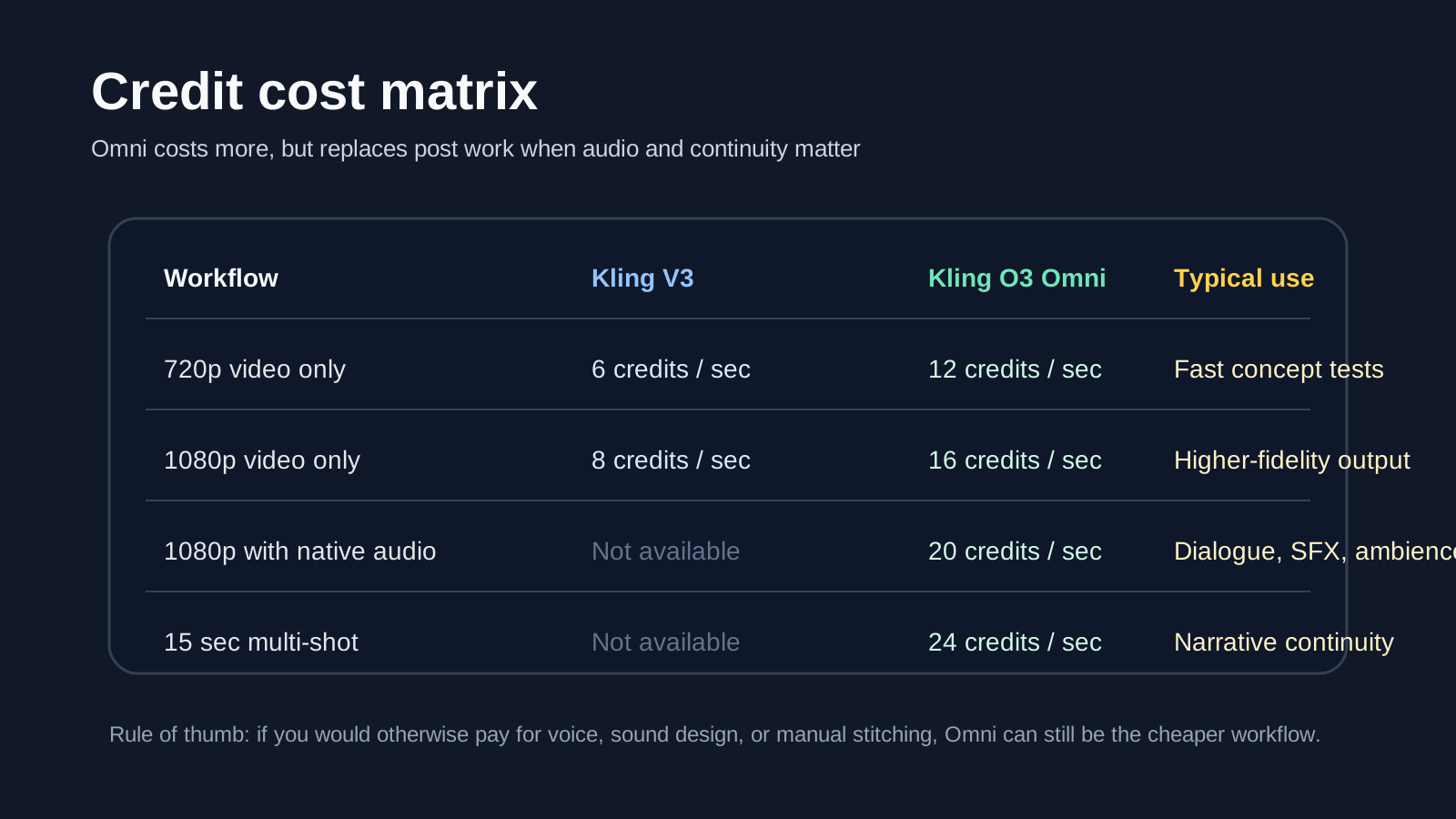
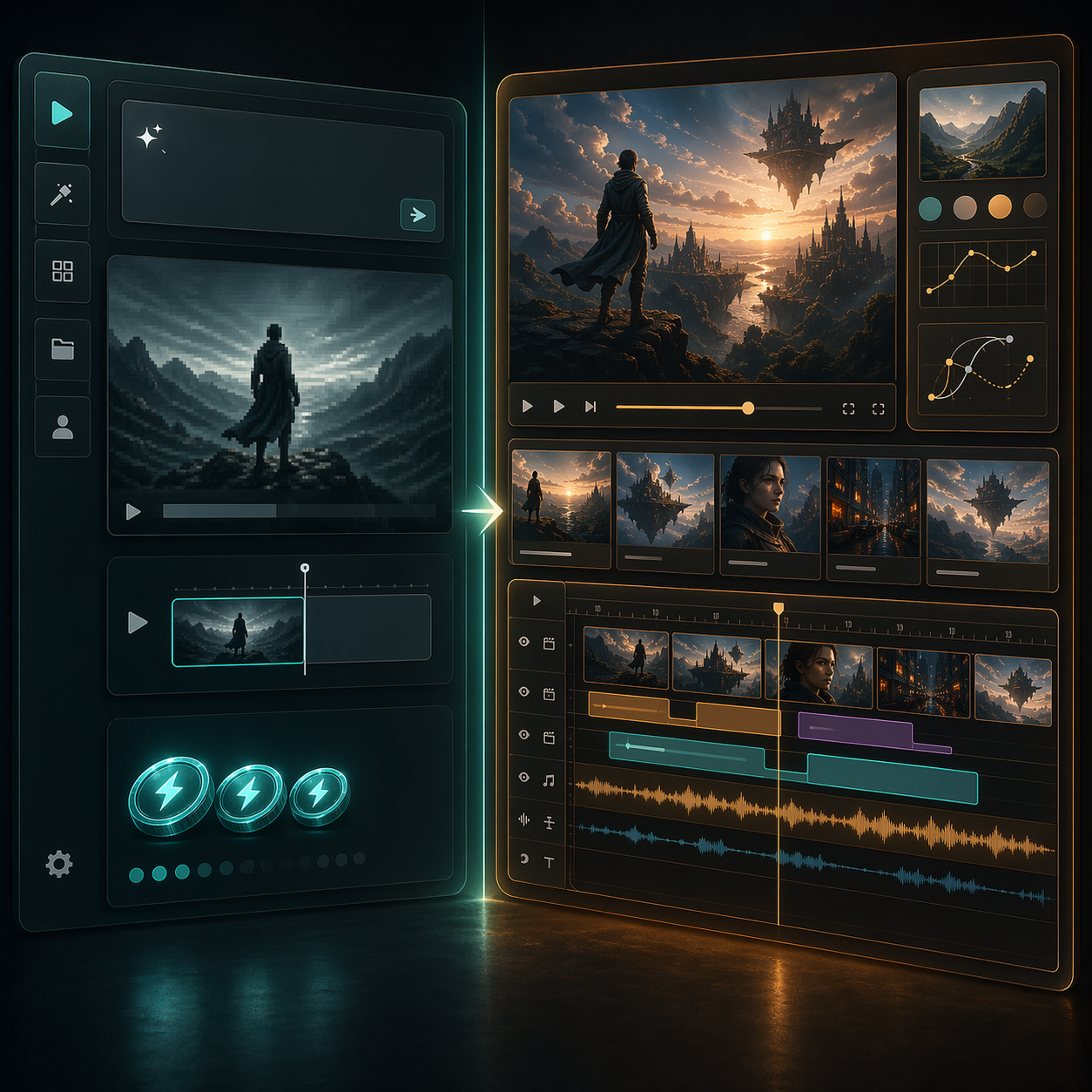
Kling 3.0 Turbo is a speed- and cost-optimized video generation model released by Kling AI (Kuaishou) in June 2026. A free trial is available for new users. It delivers dramatically faster generation speeds while bundling audio and lip-sync into every clip — no separate audio step required. At ¥0.8/s for 720p and ¥1/s for 1080p (audio included), with Standard, Pro, and Ultra subscription plans offering watermark-free commercial output. When paired with the standard Kling 3.0 model, it forms a powerful two-stage workflow: validate ideas quickly with Turbo, then render final output at 4K with the full production model.
Up to 20x faster generation
Kling 3.0 Turbo is optimized for rapid preview. Draft mode delivers clips in seconds, dramatically reducing wait times and letting you iterate through creative directions faster than ever.
Built-in audio, no extra work
Every video clip includes synchronized audio — speech, sound effects, and ambient sound — generated automatically with the video. No more separate voiceover or audio syncing steps.
Improved lip-sync technology
Upgraded lip-sync delivers natural, tightly synchronized mouth movements that match the audio track. Supports Chinese, English, Japanese, Korean, and Spanish — ideal for talking-head and dialogue content.
Cost-efficient per-second pricing
¥0.8/s for 720p, ¥1/s for 1080p — audio included at no extra cost. For teams that need to test and iterate at scale, Turbo dramatically reduces the cost per creative experiment.
How to Generate AI Videos with Kling 3.0 Turbo
Kling 3.0 Turbo keeps the workflow clean and straightforward — whether you're starting from text or an image.
Enter a prompt or reference image
Write a short text prompt describing the scene, subject, and motion. Or upload a reference image as the starting frame. The more specific your prompt, the better the result.
Choose your settings
Set the video duration (1-15 seconds), resolution (720p or 1080p), and toggle audio on/off. In Turbo mode, keep prompts compact and focused on motion and camera direction.
Generate, preview, iterate
Hit generate and get a preview with audio in seconds. Evaluate the result, tweak your prompt, and re-generate until it's right. Escalate winning ideas to standard Kling 3.0 for 4K final output.
More AI Video Generators Like Kling 3.0 Turbo



What Kling 3.0 Turbo Delivers
A careful balance of speed, cost, and quality — designed for creators and teams who need to generate video at scale.
Lightning-fast generation
Turbo mode accelerates video generation up to 20x compared to the standard model. A 5-second preview in draft mode completes in seconds, letting you test dozens of creative directions quickly and zero in on the best one.
Built-in audio generation
Say goodbye to post-production voiceover. Every Turbo clip comes with synchronized audio — dialogue, sound effects, and ambient sound — generated automatically. Audio is included in the per-second price at no extra cost.
Improved lip-sync quality
Upgraded lip-sync delivers natural, believable talking-head videos. Mouth movements match the audio track precisely, eliminating the uncanny drift that plagues earlier AI video models. Supports CN, EN, JP, KR, and ES.
Flexible input modes
Supports both text-to-video and image-to-video. Text prompts are great for quick creative exploration. Upload a reference image to turn product stills, character designs, or concept art into motion.
Up to 1080p resolution
Output supports full HD 1080p resolution, meeting the quality bar for social media, web content, and digital advertising. For 4K output, escalate winning prompts to the standard Kling 3.0 model.
Two-stage workflow ready
Turbo and standard Kling 3.0 are designed to work together. Validate concepts fast with Turbo, then render the winners at 4K with full cinematic controls, multi-shot storyboarding, and Motion Brush.
Kling 3.0 Turbo Technical Specifications
Detailed model specs, API parameters, and endpoint information for developers and technical users.
Generate video directly from a text prompt. Supports 5-15 second duration, 720p/1080p resolution, and automatic audio generation. The cfg_scale parameter (0.0-1.0) controls prompt adherence.
Upload a starting frame (JPG/PNG) with a text prompt describing the intended motion. Animate still images into dynamic video. Optional end frame support for more precise motion control.
Per-second pricing with audio included. Example: a 5-second 1080p clip costs approximately ¥5 ($0.70 USD). Significantly more cost-effective than the standard model for high-volume testing.
Best Use Cases for Kling 3.0 Turbo
Kling 3.0 Turbo excels when speed, volume, and cost matter more than single-render perfection. Here are the best applications.
Social media short-form video
Batch-produce vertical content for TikTok, Instagram Reels, and YouTube Shorts. Built-in audio eliminates post-production, delivering complete clips with voiceover and sound effects in one step.
Ad creative rapid testing
Turn product angles into multiple short ad variants. Compare different camera languages, pacing, and hooks before committing budget to full production.
Talking-head & dialogue content
Improved lip-sync makes digital avatars, character dialogue, and product explainer videos more natural. Generate speaking video clips from a single prompt with no post-production lip-syncing.
Product motion demos
Transform product photos or design files into dynamic showcase videos. Ideal for e-commerce listings, promotional materials, and email marketing visual upgrades.
Storyboard motion testing
Validate scene pacing, camera transitions, and visual style with quick motion drafts before committing to full animation or live production.
How Creators Are Using Kling 3.0 Turbo
Real feedback from creators across different fields on how Turbo performs in their workflows.
"Testing an ad concept used to take minutes per iteration. With Turbo, I write a prompt and see a preview in seconds. The iteration speed is on another level."
"Built-in audio is a game-changer. I used to generate video, then add voiceover, then sync everything. Now it's one step. And the lip-sync is noticeably better too."
"For me, Turbo's biggest value is cost control. I batch-test creative directions with Turbo first, then only render the winners at full quality. Our budget utilization has improved dramatically."
"We used to need a full studio setup for product video. Now a product photo plus a prompt gives us a motion demo. It won't fully replace live shooting, but for pitches it's more than enough."
Frequently Asked Questions About Kling 3.0 Turbo
Common questions about capabilities, pricing, and use cases — find out if Turbo is right for your needs.
What's the difference between Kling 3.0 Turbo and standard Kling 3.0?+-
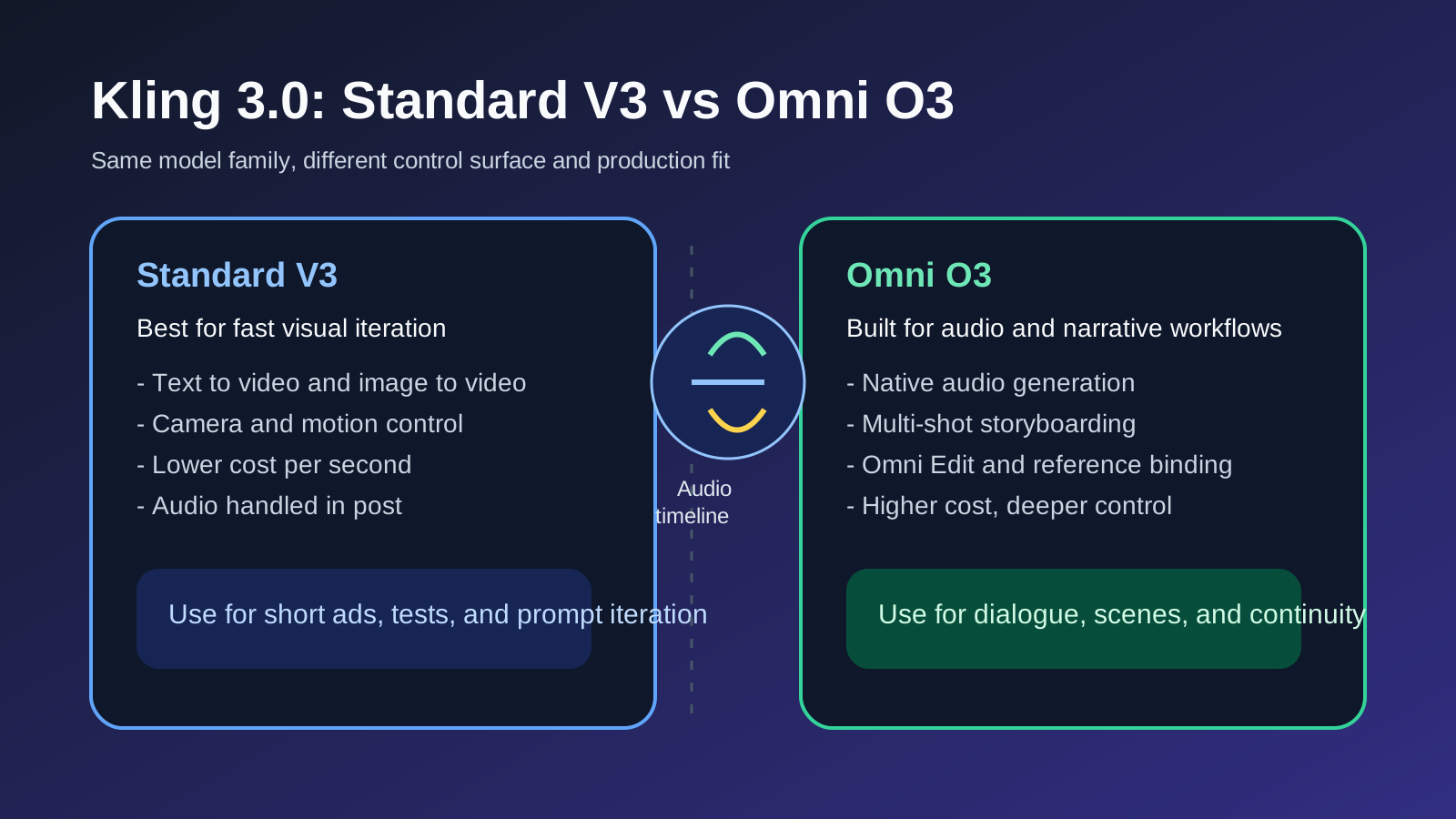
They are complementary, not replacements. Turbo prioritizes speed and cost — up to 20x faster generation, 720p-1080p output, with built-in audio and lip-sync on every clip. Standard Kling 3.0 supports 4K output, multi-shot storyboarding (up to 6 shots), Motion Brush, and full creative controls. The recommended workflow: validate with Turbo, then render winners at 4K with standard Kling 3.0.
How fast is Kling 3.0 Turbo?+-
Turbo mode generates previews roughly 20x faster than the standard Kling 3.0 model. A 5-7 second clip typically completes in seconds to tens of seconds, depending on server load and selected resolution.
What resolutions does Turbo support?+-
720p and 1080p. 720p is more economical for quick previews and social media; 1080p offers higher quality for advertising and web use. For 4K output, use the standard Kling 3.0 model.
How good is the audio and lip-sync on Turbo?+-
Every Turbo clip automatically includes synchronized audio (speech, sound effects, ambient) — no extra steps needed. Lip-sync is significantly improved over previous versions, with tighter mouth-to-audio matching that eliminates the drift issue. Supports Chinese (Mandarin), English, Japanese, Korean, and Spanish — Chinese lip-sync is particularly natural and well-optimized. Talking-head content supports up to 60 seconds. It is web-based with no download or installation required.
How much does Kling 3.0 Turbo cost?+-
Pricing is per-second: ¥0.8/s for 720p, ¥1/s for 1080p — audio included. Example: a 5-second 720p clip costs ~¥4 ($0.55 USD), a 10-second 1080p clip costs ~¥10 ($1.40 USD). Significantly more cost-effective than the standard model for high-volume generation.
Can I use Kling 3.0 Turbo for commercial projects?+-
Yes — with a paid subscription that removes watermarks. A free tier (66 credits/day, 720p, watermarked) is available for trial use. Paid plans include Standard ($6.99/month, 660 credits, 1080p, watermark-free), Pro ($29.99/month, 3,000 credits, priority queue), and Ultra ($59.99/month, 8,000 credits, all features including Ultra HD). All paid plans support commercial use with watermark-free output. Free tier videos include watermarks and are not licensed for commercial use. Check the latest pricing for plan details.
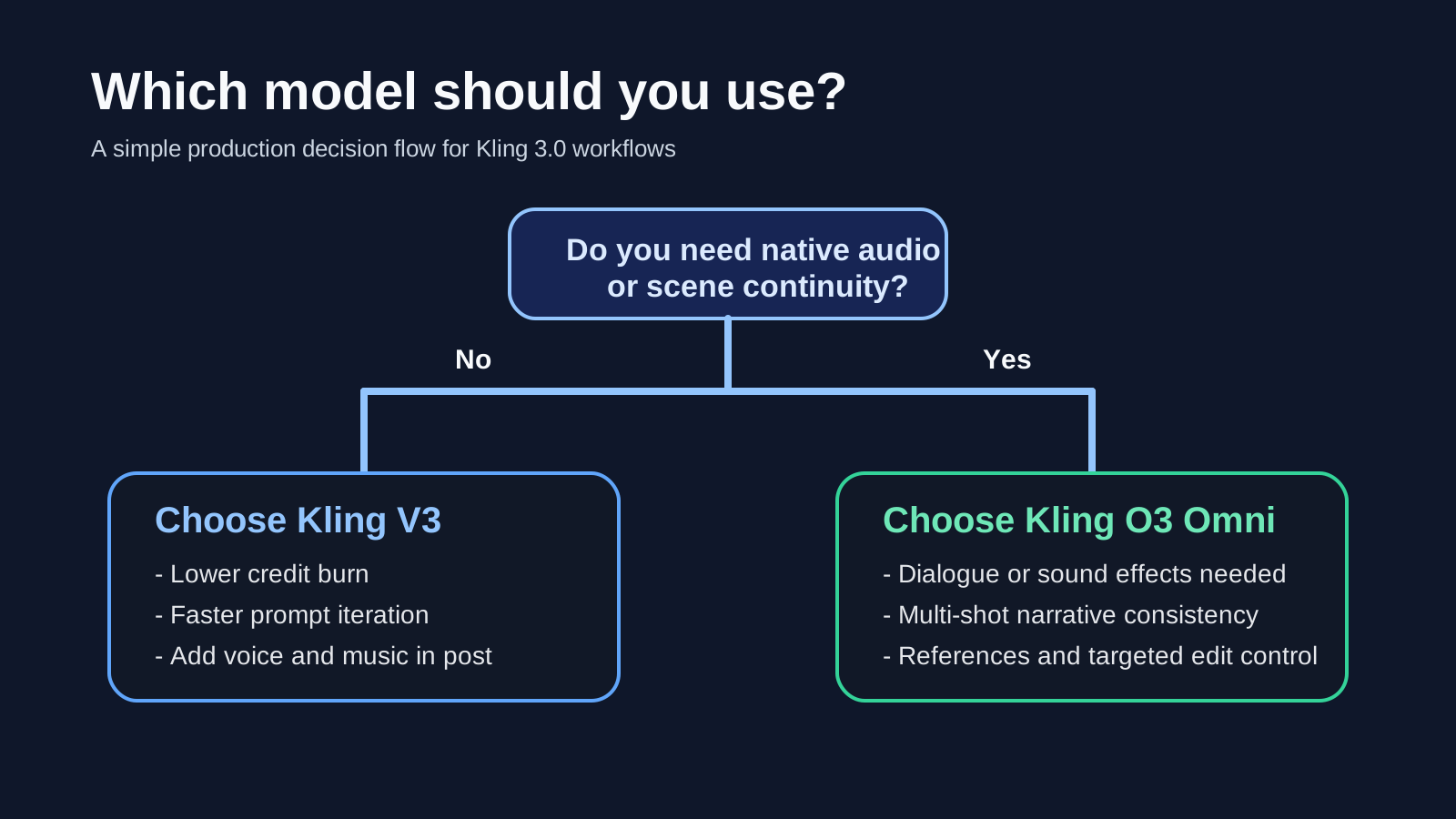
What's the difference between Turbo and Omni? Which should I use?+-
They serve different purposes: Turbo generates new videos from scratch — fast and cost-efficient. Omni is an enhancement model for editing and refining existing video footage while maintaining source consistency. In short: use Turbo for quick generation, use Omni for polishing existing footage.
Start generating videos with Kling 3.0 Turbo today
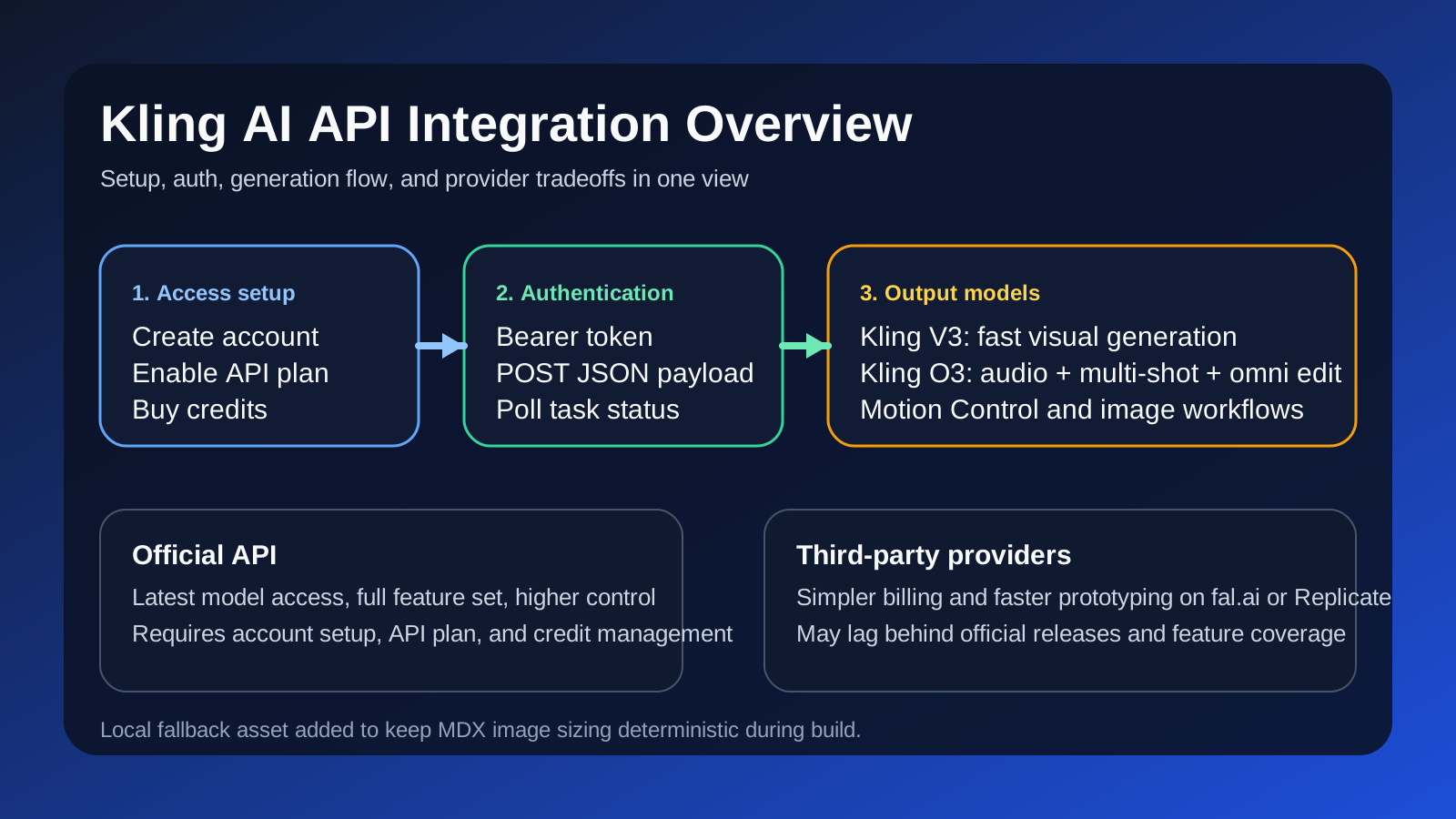
Try Turbo through an API provider and start generating. Turn your creative ideas into video content — faster and more affordably than ever.