Kling AI Credits & Subscription Guide: Free Credits, Costs, Cancellation
A complete guide to Kling AI credits and subscriptions on kling3.pro. Learn how to get free credits, the real cost per video after retries, compare subscription plans, and how to cancel or request a refund.
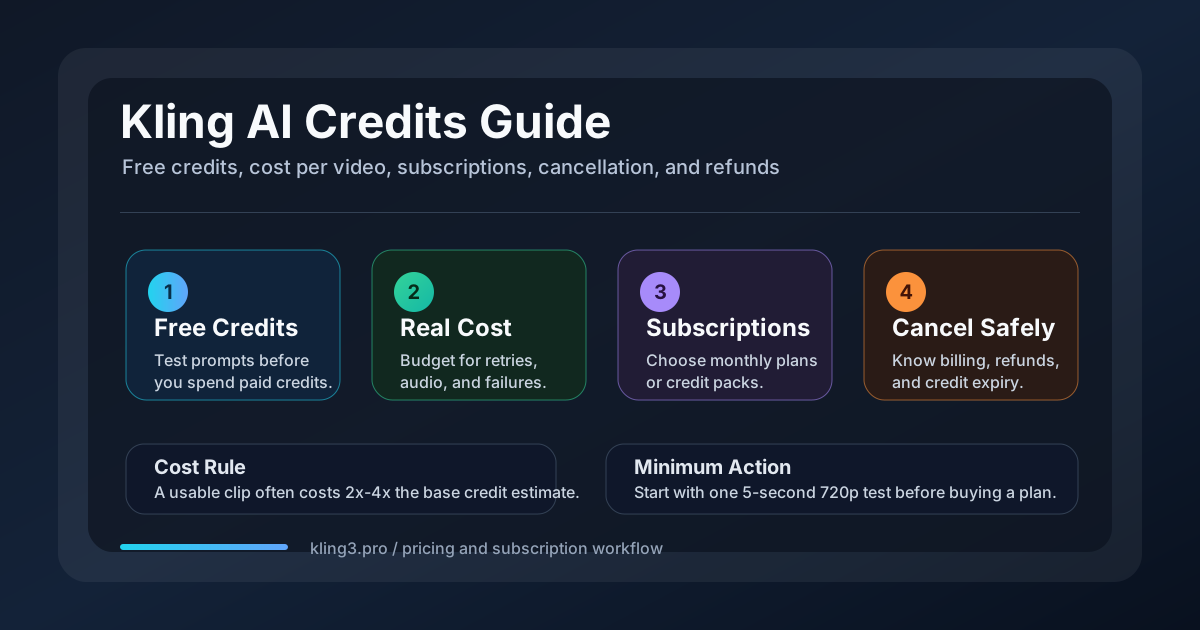
You signed up for Kling AI to generate videos. Then you opened the dashboard and saw credits, plans, and limits — and no single page that ties them together.
How many free videos can you actually make per day? What does a single usable 15-second clip really cost after you account for retries, failed generations, and audio? And if Kling does not work for your workflow, can you cancel and get your money back?
I have tested Kling AI daily since mid-2025 across the Kling 3.0 and O3 releases, running hundreds of paid and free-tier generations on kling3.pro. This guide covers the entire credit and subscription system — free credits, plan costs, the real per-video price including failures, cancellation steps across every platform, and what to do if you need a refund.
By the end, you will know exactly how to evaluate whether Kling fits your budget, which plan to choose, and what to do when you need to stop.
How Kling AI Credits Work on kling3.pro
Every generation on kling3.pro costs a number of credits. Your credits come from one of three sources: free allocations, monthly subscription credits, or one-time credit packs. Understanding how credits are consumed is the first step to budgeting your output.
Credit Consumption Basics
On kling3.pro, Kling 3.0 credits are consumed per second based on resolution and audio:
| Kling 3.0 workflow | Credits per second |
|---|---|
| 720p without audio | 6 credits/s |
| 720p with audio | 9 credits/s |
| 1080p without audio | 8 credits/s |
| 1080p with audio | 12 credits/s |
That means a single clip costs:
| Output | Total credits |
|---|---|
| 5s, 720p, no audio | 30 |
| 5s, 720p, with audio | 45 |
| 10s, 720p, no audio | 60 |
| 10s, 720p, with audio | 90 |
| 15s, 1080p, no audio | 120 |
| 15s, 1080p, with audio | 180 |
| 15s, 1080p, with audio + multi-shot | ~180–360 |
Multi-shot clips cost more because each shot transition effectively extends the total duration. On kling3.pro, multi-shot runs with audio enabled, so budget the full sequence at the audio-on rate.
Credits are consumed whether the generation succeeds or fails. A corrupted output, a rejected prompt, or a server timeout still deducts from your balance. This is the single most important fact to understand before you choose a plan.
Free vs Paid Credits: Key Differences
| Feature | Free credits | Paid subscription credits | Credit pack credits |
|---|---|---|---|
| Rollover | No — expire daily | No — expire monthly | Yes — valid for 2 years |
| Watermark | Yes | No | No |
| Max resolution | 480p (Lite) or 720p | 1080p | 1080p |
| Priority queue | No | Yes | Yes |
| Commercial use | No | Yes | Yes |
Understanding this distinction helps you decide which stage of your workflow deserves free credits and which should use paid credits.
Free Credits: What You Get Without Paying
Kling 3 Lite is the free entry model on kling3.pro. It is designed for prompt testing, not production output. Every new visitor gets a small pool of credits to validate whether their shot idea works before committing to a paid plan.
| Access type | Credits | What it covers |
|---|---|---|
| Guest session | 10 | 1 Lite clip at 5s / 480p |
| New account bonus | 10 | 1 more Lite clip at 5s / 480p |
| Total first-time test budget | 20 | 2 Lite clips |
Kling 3 Lite is capped at 5 seconds and 480p. That is enough to test a prompt concept, check composition, or compare two text descriptions. It is not enough to produce a shareable video.
For a detailed breakdown of how to maximize free access across daily credits, trial strategies, and community methods, read our dedicated guide: How to Use Kling AI for Free in 2026.
Rule of thumb: Free credits are for validation, not production. Use them to answer one question: "Does this prompt produce the motion and framing I want?" If the answer is yes, move to a paid plan for the final render.
Subscription Plans on kling3.pro
If you want predictable monthly output, the subscription plans give you a pool of credits that renew each month. They also unlock watermark-free output, 1080p resolution, and priority generation.
| Plan | Price | Credits/mo | Fits best for |
|---|---|---|---|
| Starter | $7.99 | 360 | Testing, short social clips |
| Pro | $25.90 | 1,320 | Weekly publishing, native audio |
| Premium | $59.90 | 3,600 | Client delivery, batch 1080p |
Here is what those credits produce in practice for Kling 3.0:
| Plan | 5s 720p clips | 10s 720p with audio | 15s 1080p with audio |
|---|---|---|---|
| Starter 360 | 12 | 4 | 2 |
| Pro 1,320 | 44 | 14 | 7 |
| Premium 3,600 | 120 | 40 | 20 |
These numbers assume every generation succeeds. In practice, you should budget 2–3 attempts per usable clip — which I cover in the next section.
If your workload is seasonal rather than monthly, one-time credit packs offer a better value:
| Credit pack | Price | Credits | Effective cost per credit |
|---|---|---|---|
| Credit Starter | $19.90 | 800 | $0.025 |
| Credit Basic | $39.90 | 1,800 | $0.022 |
| Credit Pro | $69.90 | 3,600 | $0.019 |
| Credit Max | $99.90 | 5,600 | $0.018 |
| Credit Super | $169.90 | 10,500 | $0.016 |
| Credit Premium | $399.90 | 28,000 | $0.014 |
Credit packs last 2 years, making them the better choice for burst workloads or when you want to stock up during a promotion.
For a deeper breakdown of per-second pricing, Motion Control, Avatar, and Kling 2.6 costs, see the full Kling 3.0 Pricing Guide.
Real Cost Per Usable Video: What the Tables Do Not Show
The credit tables above show the base cost per generation. But in real use, not every generation is usable. Failed generations, rejected prompts, and retries all consume credits with no output.
A rough expectation based on my testing:
| Quality tier | Generations per usable clip | Credit multiplier |
|---|---|---|
| Simple prompt, well-defined subject | 1.5× | Add 50% |
| Complex scene, multiple subjects | 2–3× | Double or triple |
| Character consistency across shots | 3–5× | 3–5 attempts |
| Motion Control on first try | ~2× | Expect at least one retry |
A 15-second 1080p video with audio costs 180 credits base. If you need three attempts to get it right — which is common when refining motion or subject placement — the real cost is 540 credits. On the Starter plan (360 credits/month), that is one video and a half. On the Pro plan (1,320 credits), about two polished 15-second clips.
How to Reduce the Multiplier
You cannot eliminate retries. But you can reduce them:
- Test at 720p without audio first. If the composition works, render at 1080p with audio only for the final pass. A failed 5s 720p test costs 30 credits. A failed 15s 1080p with audio costs 180 credits.
- Use image-to-video when you have a reference frame. Locking the first frame reduces retries because the starting composition is already defined.
- Render 5-second clips and extend. It is cheaper to generate a short clip and extend it than to generate a long clip in one pass. Each extension costs the same per-second rate, but failed extensions waste fewer credits than a full-length failure.
- Avoid native audio during early rounds. Add audio only after the visual timing is confirmed. Turning audio on doubles the credit cost per second (from 6 to 12 at 1080p), so sequence audio as the final step, not the first.
Rule of thumb: Budget 2–3× the base credit cost for any video you plan to publish. If your budget only covers the base rate, you will run out before the clip is done.
Once you understand the real cost, you may decide that Kling AI no longer fits your current needs. If so, cancelling your subscription is straightforward — but the process depends on where you signed up.
How to Cancel Your Kling AI Subscription
The method depends on where you subscribed. Cancel on the platform you used to sign up — cancelling on the website does not stop billing through Google Play or the App Store.
Cancel via kling3.pro Website
- Log in to your kling3.pro account.
- Click your profile icon (bottom-left corner) → Account Settings.
- Go to Subscription / Billing and click Manage next to your active plan.
- This redirects you to the Stripe billing portal. Stripe handles all payment processing for kling3.pro.
- Stripe will send a one-time login link to your email. Open it.
- Find your subscription and click Cancel subscription. Follow all confirmation prompts until you see a confirmation screen.
Cancel via Google Play
If you subscribed through the Android app:
- Open the Google Play Store and tap your profile icon (top-right).
- Go to Payments & subscriptions → Subscriptions.
- Find Kling AI and tap Cancel subscription.
Cancel via Apple App Store
If you subscribed through the iOS app:
- Open Settings and tap your Apple ID name at the top.
- Tap Subscriptions.
- Find Kling AI and tap Cancel Subscription.
What Happens After Cancellation
- Your subscription stays active until the end of the current billing period. You keep access to paid features and credits until that date.
- Unused subscription credits at cancellation are lost — they do not roll over and are not refunded.
- Your account is downgraded to the free tier. You keep your account, your saved projects, and any credit pack credits that have not expired.
- Cancelling does not delete your account. If you want full deletion, contact support separately.
If You Cannot Find the Cancel Option
Some users report that the cancel button is not visible on the website. If that happens:
- Clear your browser cache and reload the billing page.
- Try a different browser or an incognito window.
- Contact kling3.pro support directly. They can process the cancellation manually within 5–7 business days.
Refund Policy: What You Can Expect
Kling AI's refund policy is restrictive. The standard terms state that all payments are non-refundable once the service is activated. This covers monthly subscriptions, yearly memberships, and one-time credit packs.
When Refunds Are Possible
Refunds are granted on a case-by-case basis, typically only for:
| Situation | Likelihood | Notes |
|---|---|---|
| Billing error (wrong amount charged) | High | Clear documentation of the error is required |
| Duplicate charge | High | Same transaction appearing multiple times |
| Unauthorized charge (fraud) | High | File a dispute with your card issuer as backup |
| Accidental purchase within ~7 days | Moderate | Only if few or no credits were used |
| Dissatisfaction with output quality | Low | Generally not covered |
| Failed generations consuming credits | Low | Credits are consumed regardless of output |
| Mid-cycle plan upgrade regret | Very low | Upgrading mid-cycle often forfeits remaining credits |
How to Request a Refund
- Cancel auto-renewal first to stop future charges while you wait for a response.
- Gather your transaction ID, account email, and screenshots of the charge.
- Email support@klingai.com with "REFUND REQUEST" in the subject line. Include the transaction details and the reason for your request.
- Expect 5–14 business days for a response.
If Kling AI refuses the refund and you believe the charge was invalid, you can escalate through your payment processor:
- Credit card: File a chargeback with your bank.
- PayPal: Open a dispute in the Resolution Center.
- Apple App Store / Google Play: Request a refund through their purchase history — store policies may override Kling's terms.
Important: Filing a chargeback without contacting Kling AI first may result in account closure. Always attempt direct resolution first.
Frequently Asked Questions
Can I get unlimited Kling AI credits?
No — Kling AI does not offer unlimited credits on any plan. Free accounts get a fixed daily allocation. Paid plans cap out at 26,000 credits per month on the Ultra tier. If you see a service claiming unlimited Kling AI credits, it is either time-limited, capped in another way, or against Kling's terms of service. The honest answer is that every plan has a hard ceiling.
How many credits does a 15-second Kling 3.0 video cost?
On kling3.pro, a 15-second video costs between 90 and 180 credits depending on resolution and audio:
- 15s, 720p, no audio: 90 credits
- 15s, 1080p, no audio: 120 credits
- 15s, 1080p, with audio: 180 credits
In dollar terms on the Pro plan ($25.90 for 1,320 credits), a 15-second 1080p clip with audio costs approximately $3.53 in credits — before accounting for retries.
How expensive is Kling 3.0 compared to other AI video tools?
Kling 3.0 is moderately priced in the current AI video market. On kling3.pro, effective costs range from ~$0.06/second (720p, Starter plan) to ~$0.24/second (1080p with audio, Starter plan). That is cheaper than Veo 3.1 ($0.15–$0.40/s) and comparable to Runway ($0.19–$0.29/s). Kling tends to require fewer retries than earlier-generation tools, which partially offsets the per-credit cost.
Do free credits expire?
Yes. Guest and sign-up credits on kling3.pro have no fixed expiry but are designed for one-time testing. Daily free credits on Kling AI expire every 24 hours. Subscription credits expire at the end of each monthly billing cycle. Only one-time credit pack credits (purchased separately) last up to 2 years.
Can I switch plans mid-month?
On kling3.pro, upgrading mid-month is possible — your account is credited the difference. However, downgrading mid-month typically does not trigger a refund for the remaining days. You can let the current plan run to its end date, then switch to the lower tier at renewal.
Is it cheaper to buy a credit pack or a subscription?
It depends on your output volume. For consistent monthly output, a subscription is cheaper: the Starter plan gives 360 credits at $7.99 ($0.022/credit) versus credit packs starting at $0.025/credit. For occasional burst work, credit packs win because they last 2 years and do not auto-renew.
Summary
Kling AI's credit and subscription system is straightforward once you separate the three layers: free credits for testing, subscription plans for consistent output, and credit packs for burst workloads.
Here is the short version:
- Free credits (10–20 on kling3.pro) are for validating prompts, not producing final videos.
- Subscription plans ($7.99–$59.90/month) give predictable monthly output with watermark-free 1080p.
- Credit packs (2-year validity) suit seasonal work or stockpiling on promotion.
- Real cost per usable video is 2–3× the base credit cost after retries and failed generations.
- Cancellation must happen on the platform where you subscribed — website, Google Play, or Apple App Store.
- Refunds are limited to billing errors and unauthorized charges. Expect most other requests to be denied.
If you are still unsure which option fits your workflow, start with a single 5-second 720p test on free credits. That one test will tell you more about Kling AI's output quality and prompt sensitivity than any pricing table can. Once you have validated your prompt approach, pick the plan that matches your volume.
For specific topics, dive deeper into these guides:
- How to Use Kling AI for Free in 2026 — maximizing free daily credits and trial strategies
- Kling 3.0 Pricing Guide — full per-second pricing, Motion Control, and Avatar costs
- Kling 3 Lite Guide — free tier limits and when to upgrade
- Kling AI API Guide — credits and pricing for API users
- kling3.pro Pricing — current plan comparison page
Author

Categories
More Posts

Kling 3.0 Explained: Super Smart AI That Makes Movies & Pictures (Easy Version for Everyone)
A friendly, detailed guide to Kling 3.0 — what it is, how the unified multimodal brain works, what makes it special, and how it compares to Runway Gen‑3.
Kling 3.0 Prompt Guide: Get Cinematic Results Every Time
How to write prompts for Kling 3.0 — covering T2V, I2V, multi-shot structure, cinematography language, and the mistakes that tank output quality. With real community-tested examples.

Kling 3.0 Review: Is It the Best AI Video Generator of 2026?
An honest Kling 3.0 review covering video quality, multi-shot storytelling, native audio, character consistency, Omni vs V3, pricing, and how it compares to Seedance 2.0 and Wan 2.7.
Newsletter
Join the community
Subscribe to our newsletter for the latest news and updates